 Shield Technology Shield Technology
CRYEYE is a cloud-based continuous deep audit and security monitoring solution with a variety of integrated tools that provides an all-in-one SaaS cybersecurity platform. Automate vulnerability detection across servers, websites, mobile applications, source code, and cloud solutions.
Team management with roles and permissions, workspace and collaboration, asset management, NOC monitoring, continuous analysis, audit results in the vulnerability and incident registry, checklists and commenting, Active Directory integration, compliance to modern frameworks, incident response and forensics, and issue visualisation with projects reporting.
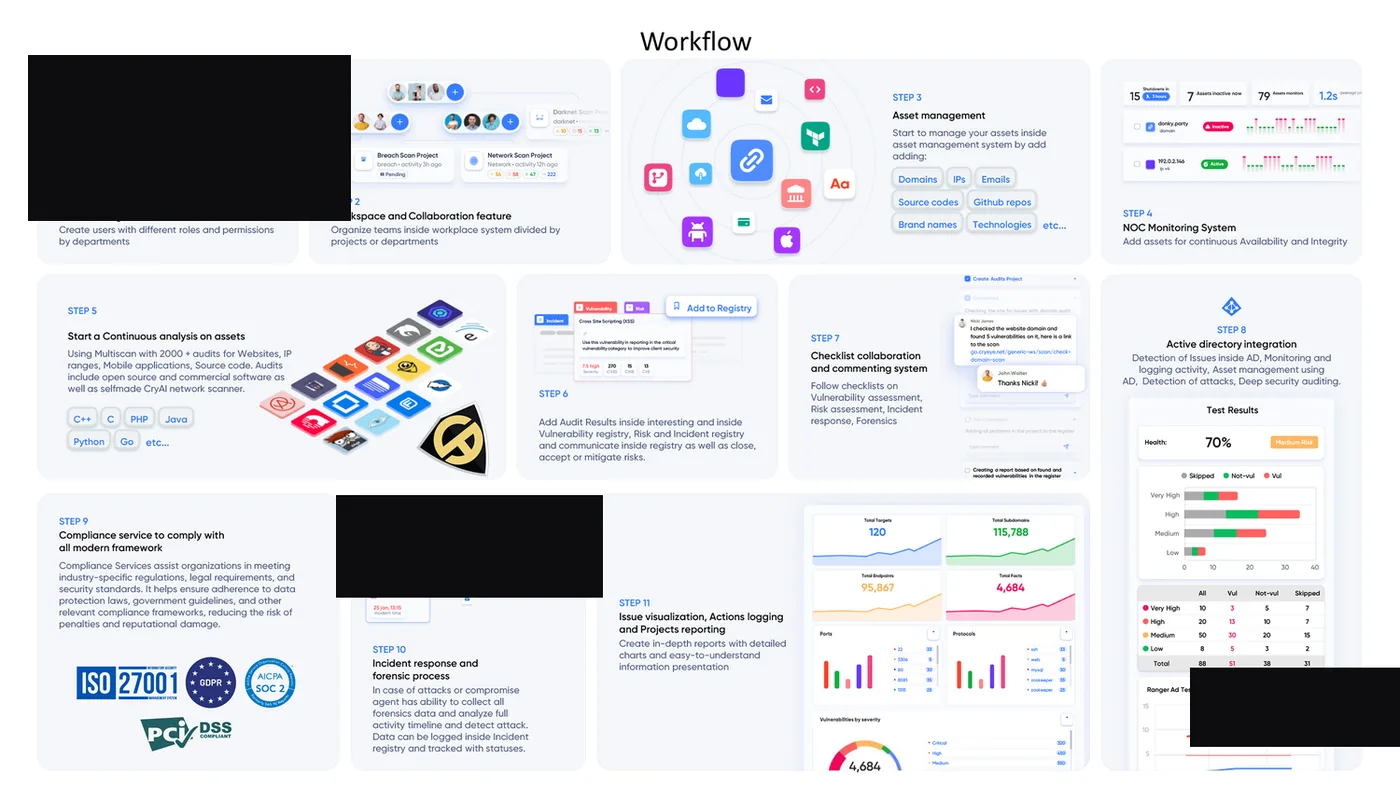
Automated security auditing includes variety integrations, both commercial and open-source tools for scanning internal and external assets.
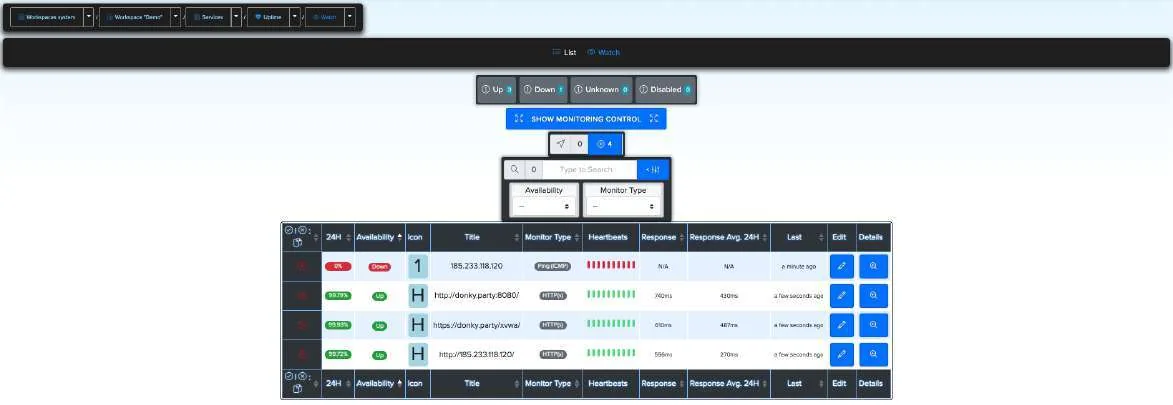
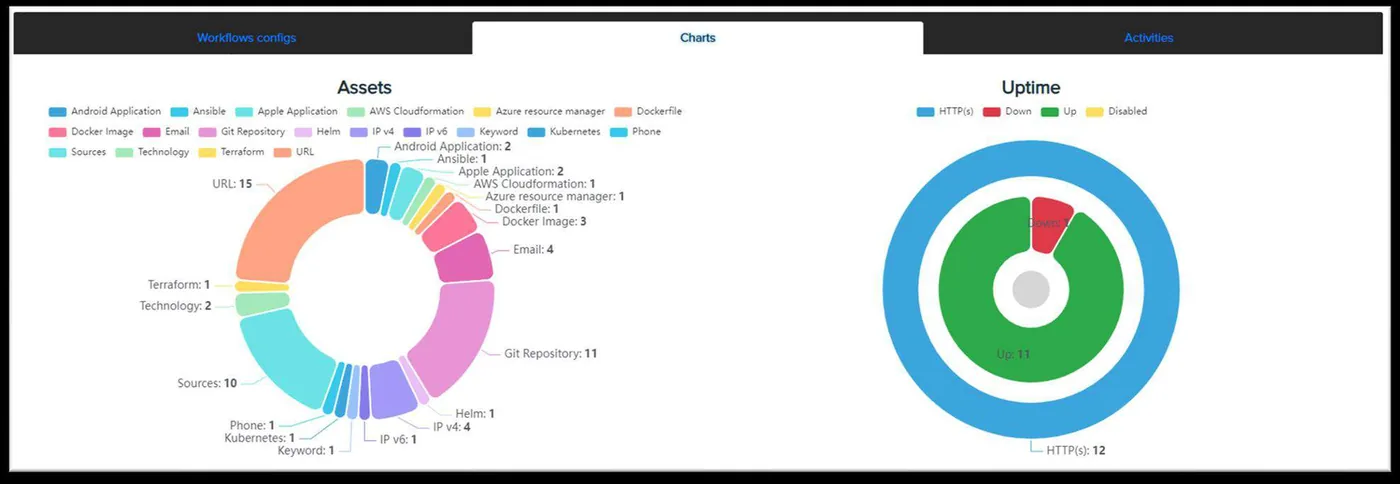
Helps you continuously monitor availability of the assets.
Add different types of supported protocols — HTTP, HTTPS, SSH, FTP — for future monitoring.
Check availability in the statistics field for each asset.
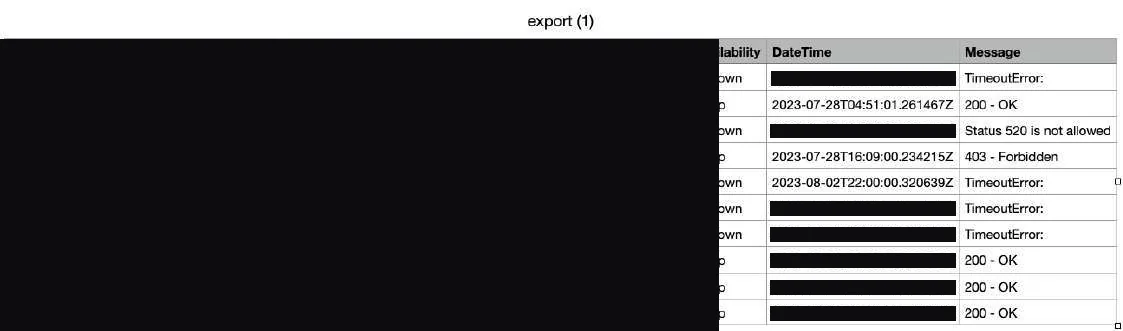
If an asset goes down or up it is registered and displayed in the border event, so you never miss what happened while you were busy elsewhere.
Export a report for any asset in CSV. Massively enable or disable monitors, add or remove them, or clear heartbeat and border-event history.
Upload a zip archive of your source code or a GitHub repository. CRYEYE conducts a comprehensive scan of the codebase for potential vulnerabilities and security issues. Results are presented in a user-friendly interface, sortable by severity, score and CWE, with filtering options to streamline analysis. Audits cover Python, GO and PHP sources, and whitebox reports export to PDF.
Integrated commercial whitebox tools, alongside open-source scanners.
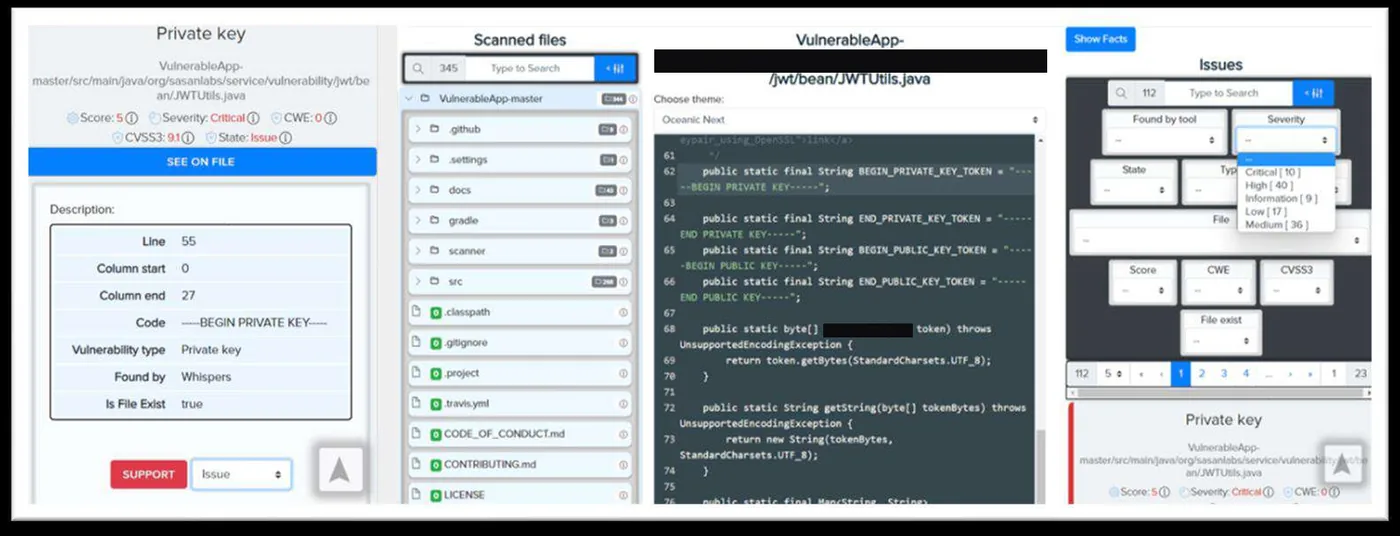
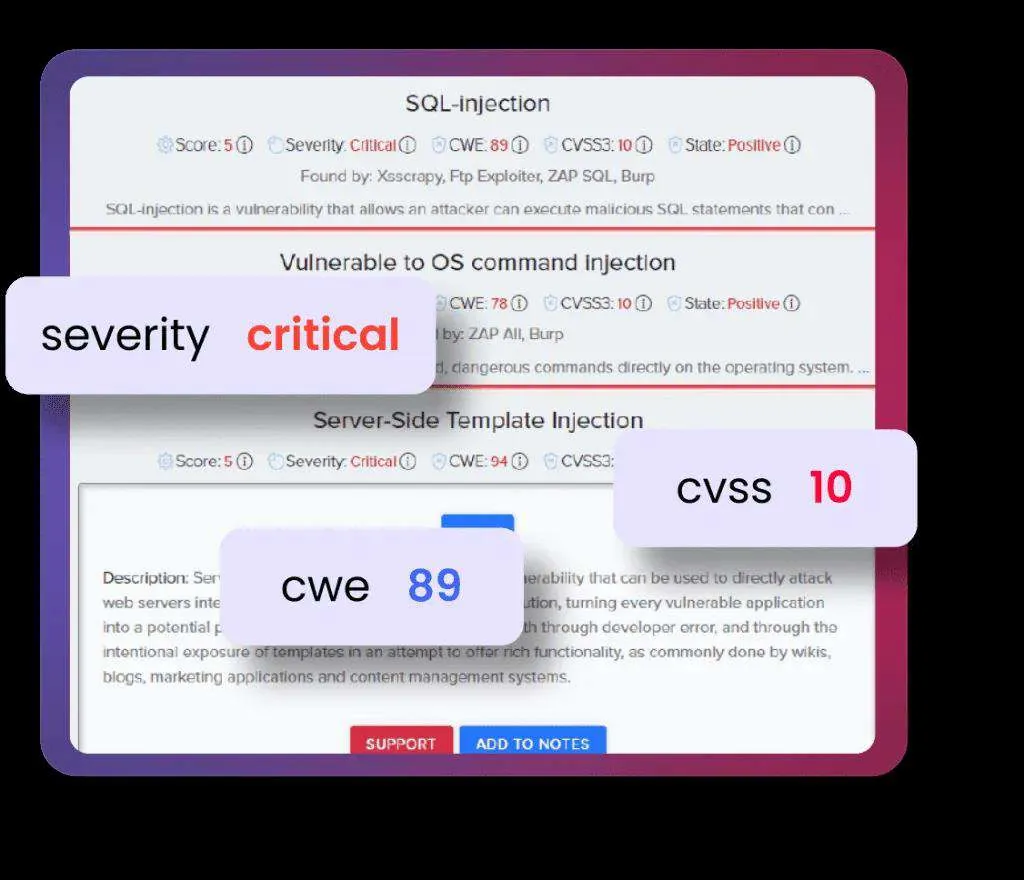
Facts derived from scan findings carry severity, CVSS3 score and CWE number, accompanied by comprehensive descriptions and remediation solutions. Audit results can be accessed directly, and users assign statuses — Positive, False Positive, Accept Risk, Retest, Fixed. The system lets users add notes, mark items as 'Interesting', or create support tickets, with intuitive filters and search throughout.
Automatic Active Directory security audits and attack monitoring help verify the security of the environment and identify potential vulnerabilities in your infrastructure. Built for easy analysis of Microsoft's directory services for the Windows Server family. Audits enumerate password setting policy, users with privileges, users whose password never expires, domain admins, users sharing a password, domain controller policies, accounts with MSSQL Service SPNs, gMSA policy OSINT and LAPS-configured admin passwords — exportable as a PDF report.
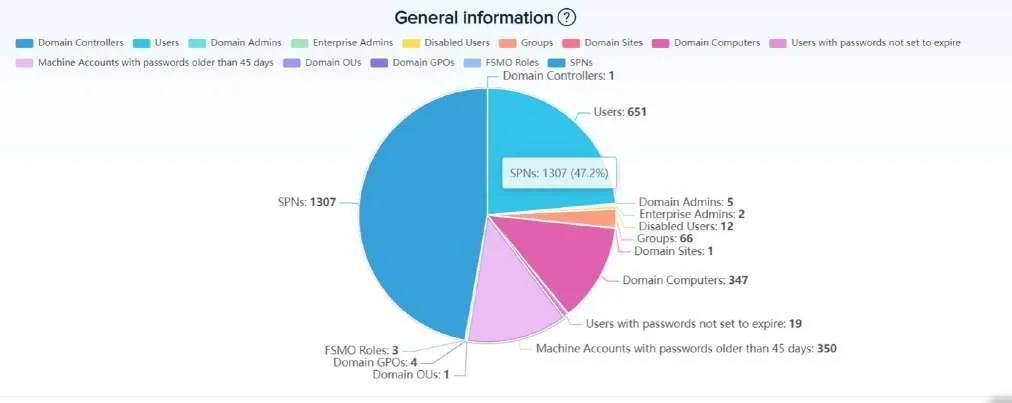
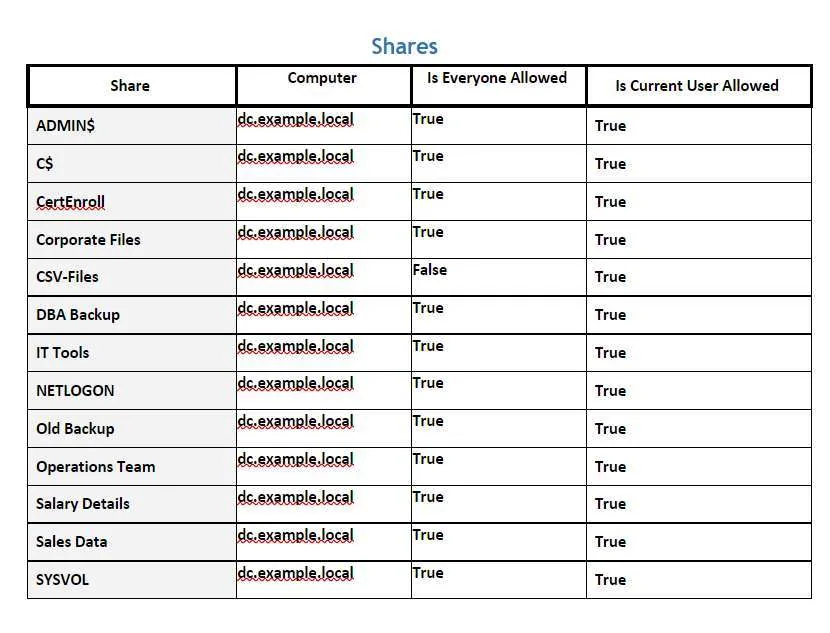
The directory data shown throughout is from a lab environment, not a customer estate. Where the platform displayed credential material — a LAPS administrator password, a gMSA managed-password blob — those slides have been left out rather than blurred.
Infrastructure code security scanning is the process of evaluating the security of the code used to define and configure an organization's infrastructure. It helps organizations identify and address security vulnerabilities and misconfigurations early in the development and deployment process — reducing the risk of breaches, ensuring compliance, and improving overall security posture.
Evaluates Dockerfiles used to build images, identifying risks in the containerization process so images are built securely and container-based compromise is minimised.
Evaluates Terraform configuration files, reducing the risk of misconfigurations, vulnerabilities or non-compliance in provisioned infrastructure.
Evaluates CloudFormation templates so AWS deployments are configured securely and align with best security practices.
Evaluates playbooks and configuration files, so infrastructure automation is built securely and free of misconfiguration.
Evaluates Helm charts — the packages that deploy and configure applications on Kubernetes.
Evaluates Kubernetes manifests, ensuring deployments are configured securely as the platform automates container management.
Evaluates ARM templates — the deployment and management layer for creating, updating and deleting Azure resources.
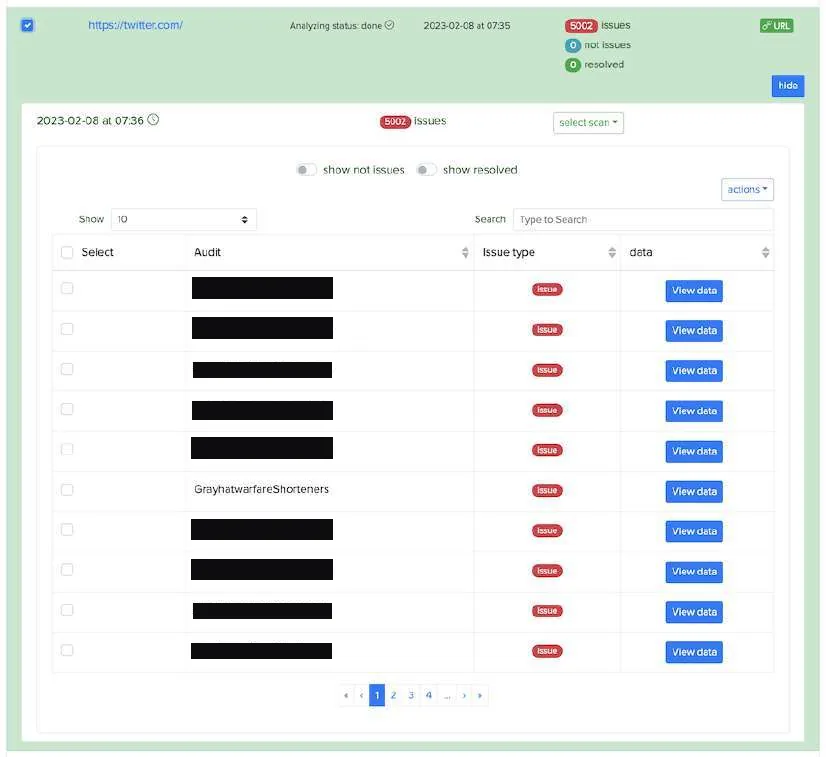
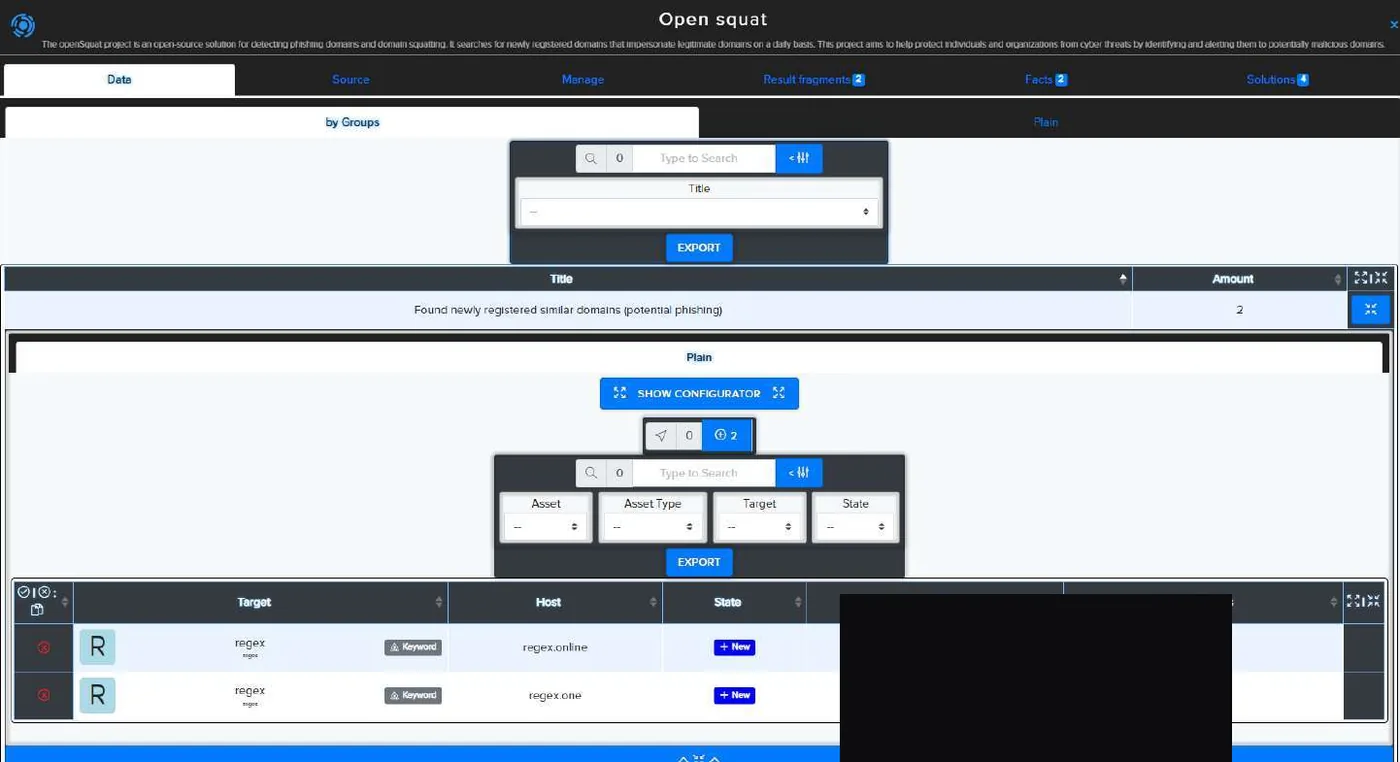
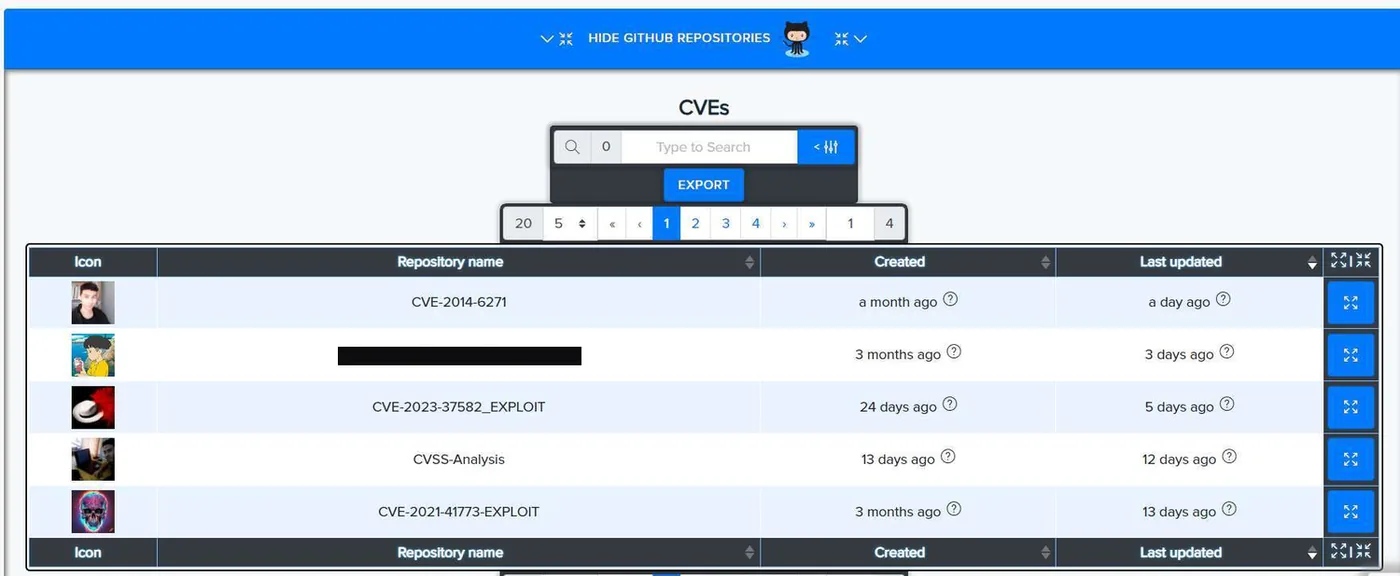
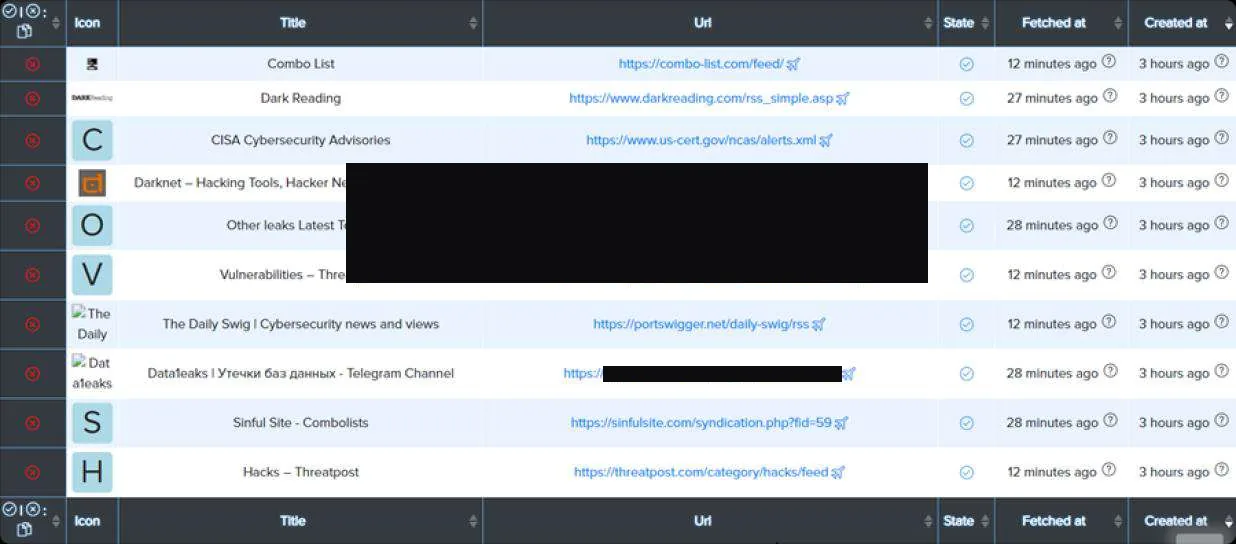
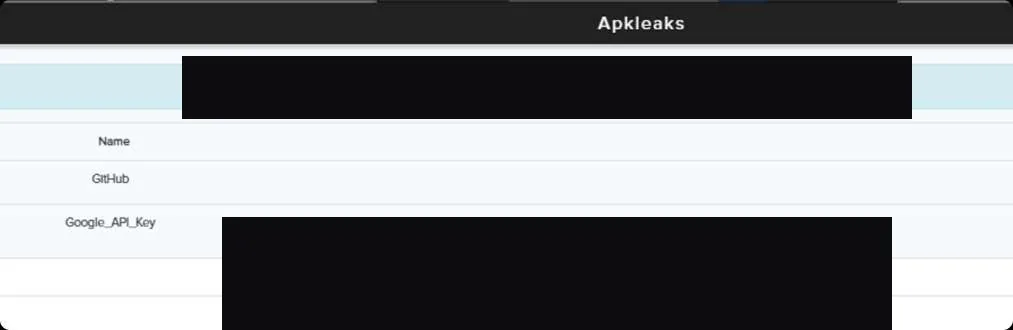
Continuously monitor asset types — domain, IP address, URL, company name, Git repositories, email, cloud, cloud name, IBAN and keyword — for leaks and violations in the Darknet. Issues appear inside the project and are monitored at a set frequency: once a day, week or month, with email notification of anything found, or never, to suspend an asset.
Search for new potential phishing websites created by cybercriminals to trick users into divulging usernames, passwords, credit card details or other personal and financial information. These sites are designed to closely mimic legitimate websites of trusted organizations — banks, social media platforms, online retailers and email providers.
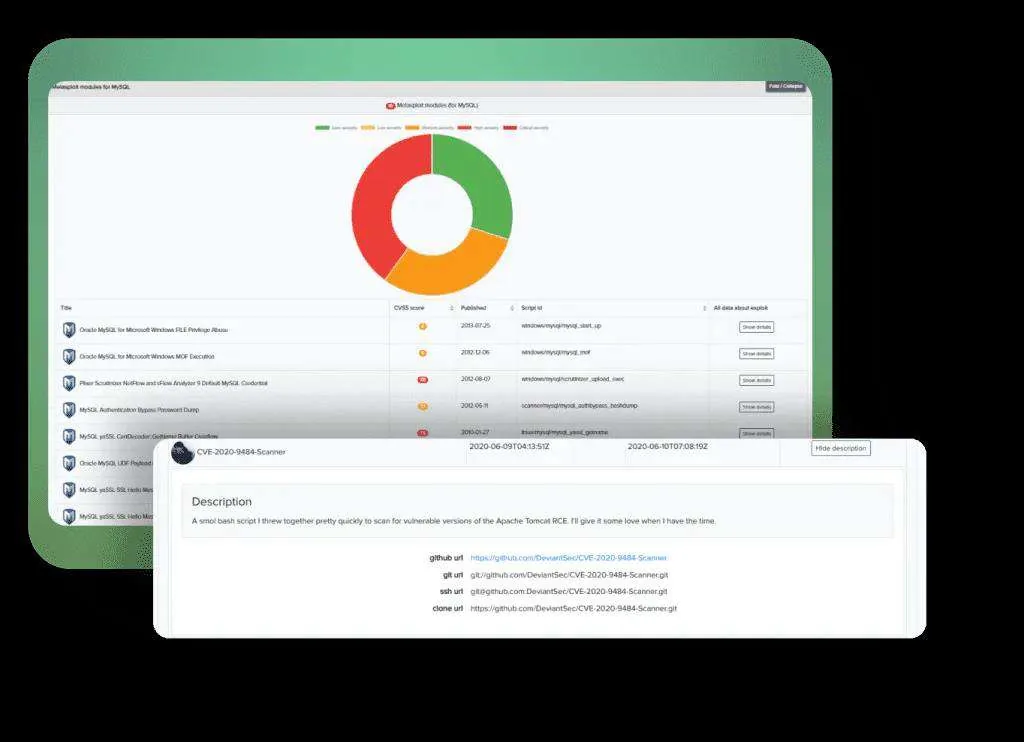
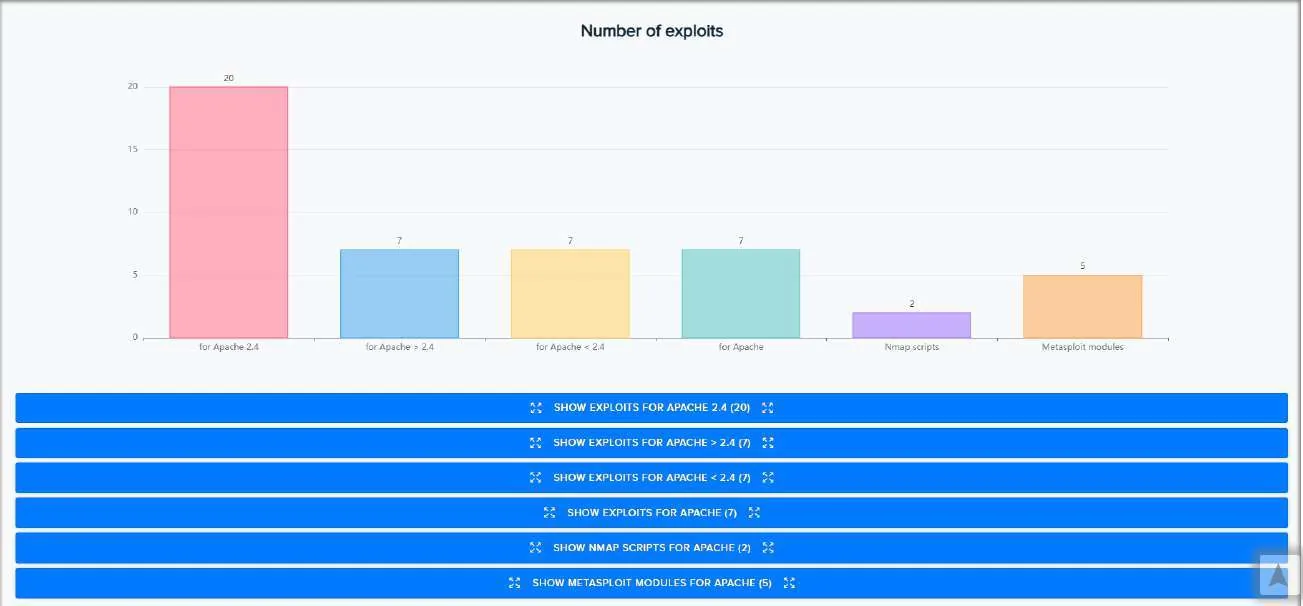
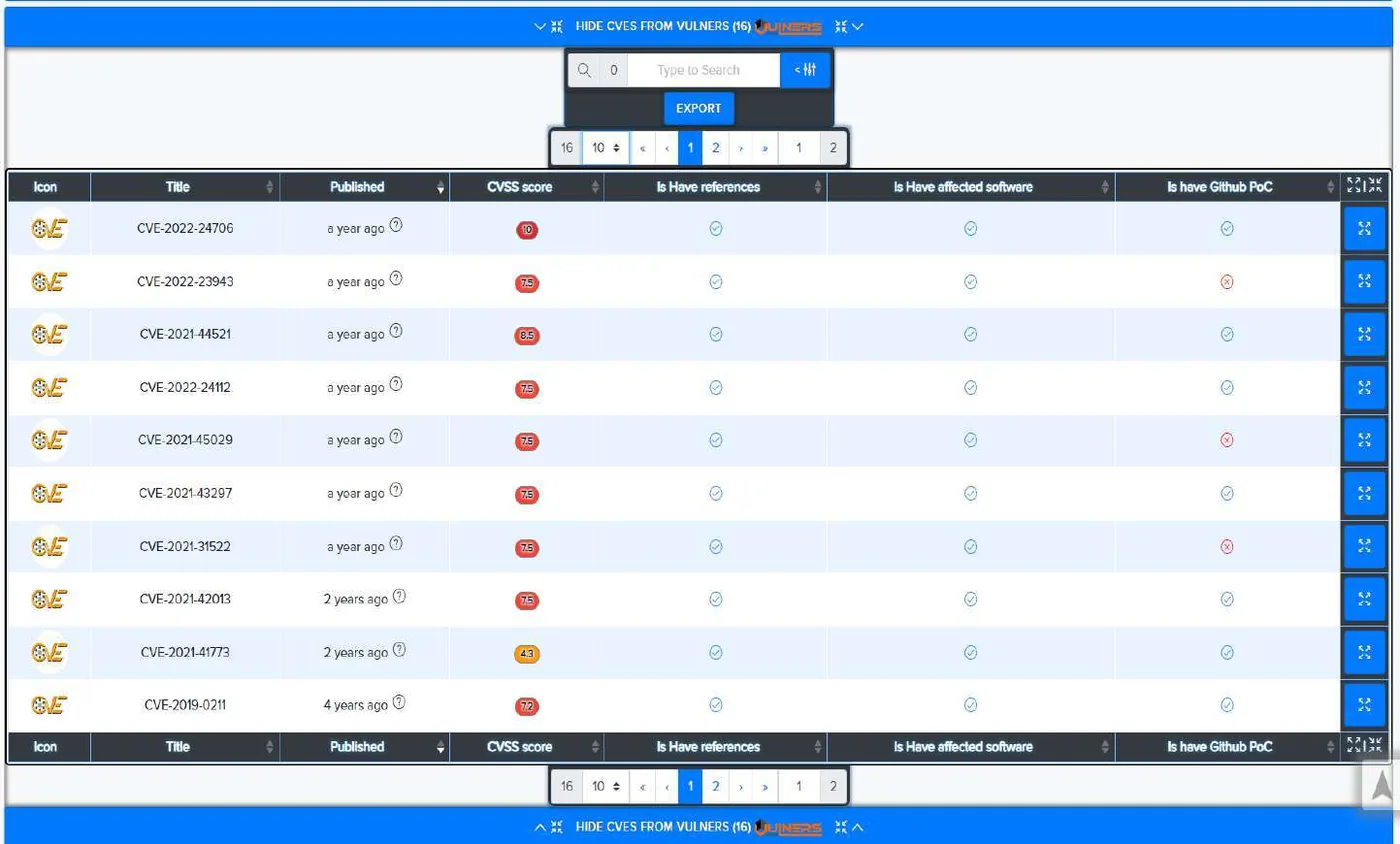
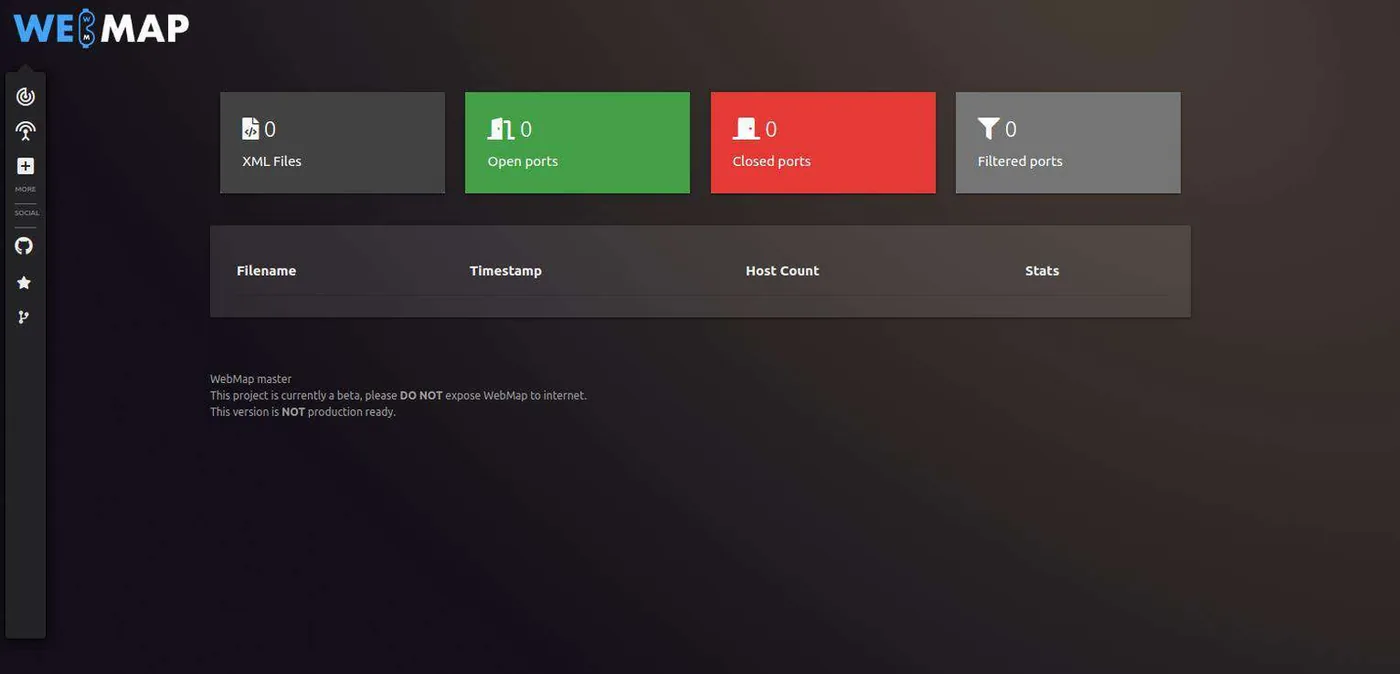
Monitor system assets for potential exploits using news, GitHub, exploit databases and CVE databases, gathering the technologies and services used on the site. Sources include Exploit DB, WordpressExploit, GithubExploit, 0day.Today and Metasploit, with CVE statistics by severity and by version.
If your data is seen on the Darknet you will be the first to know, helping you predict future leaks or exploited technology vulnerabilities and protect your organisation in advance. Subscribe to blogs, sites and marketplaces, view the feed from subscribed channels, and create triggers from a simple keyword to a complex regular expression.
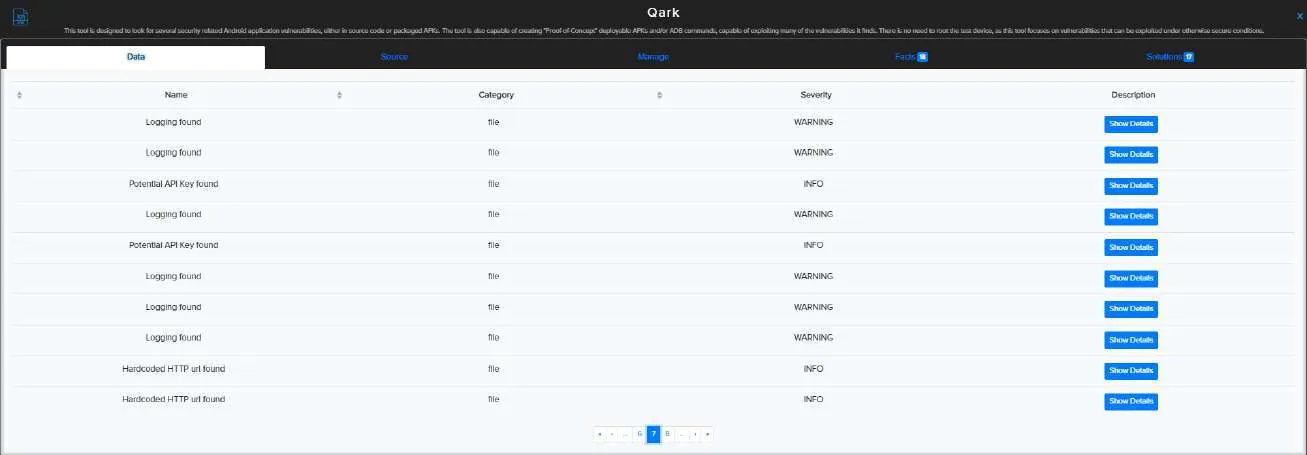
Static analysis of Android and iOS mobile applications, surfacing facts such as potential API key leaks inside an application. CRYEYE integrates numerous open-source and commercial audits for automatic scanning of mobile applications.
Vulnerabilities in mobile applications — APK files on Android, and applications on iOS devices — are weaknesses or flaws in the app's design, code or implementation that could be exploited to compromise the security and functionality of the application, the device it is installed on, or the data it interacts with.
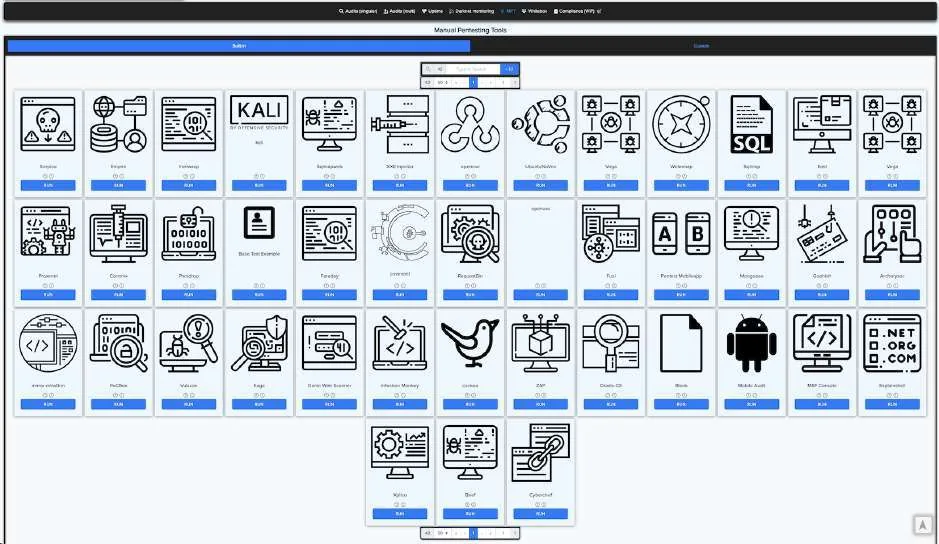
Add many different asset types to your Workspace for scanning by the audit system to find vulnerabilities, misconfigurations and information leaks. Categories span web, infrastructure, mobile, source code analysis, binary analysis, recon, network forensics, names, titles or identifications, and more. Alongside the automation, a full cloud solution for manual checks allows users to run a complete cycle of vulnerability assessment or penetration testing.
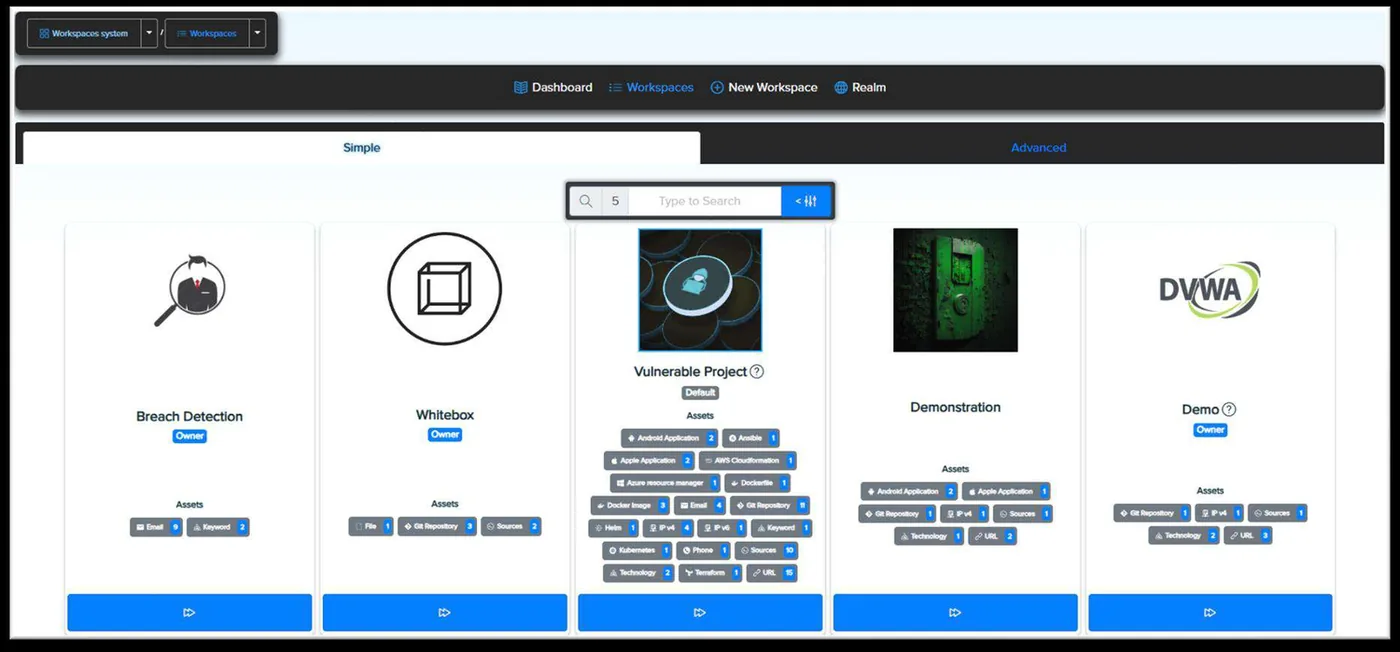
Manage individual projects with customizable goals, conduct thorough security audits, capture insights with notes, and create comprehensive checklists. Every Workspace supports URLs, IPs, Android and Apple applications, Git repositories, Dockerfiles, Docker images, AWS CloudFormation, Azure Resource Manager, emails, phone numbers, keywords, Kubernetes, Terraform, technology and more. Personalize each with a name, description and image, and unite developers, security specialists, QA, management, clients and customers in a shared environment.
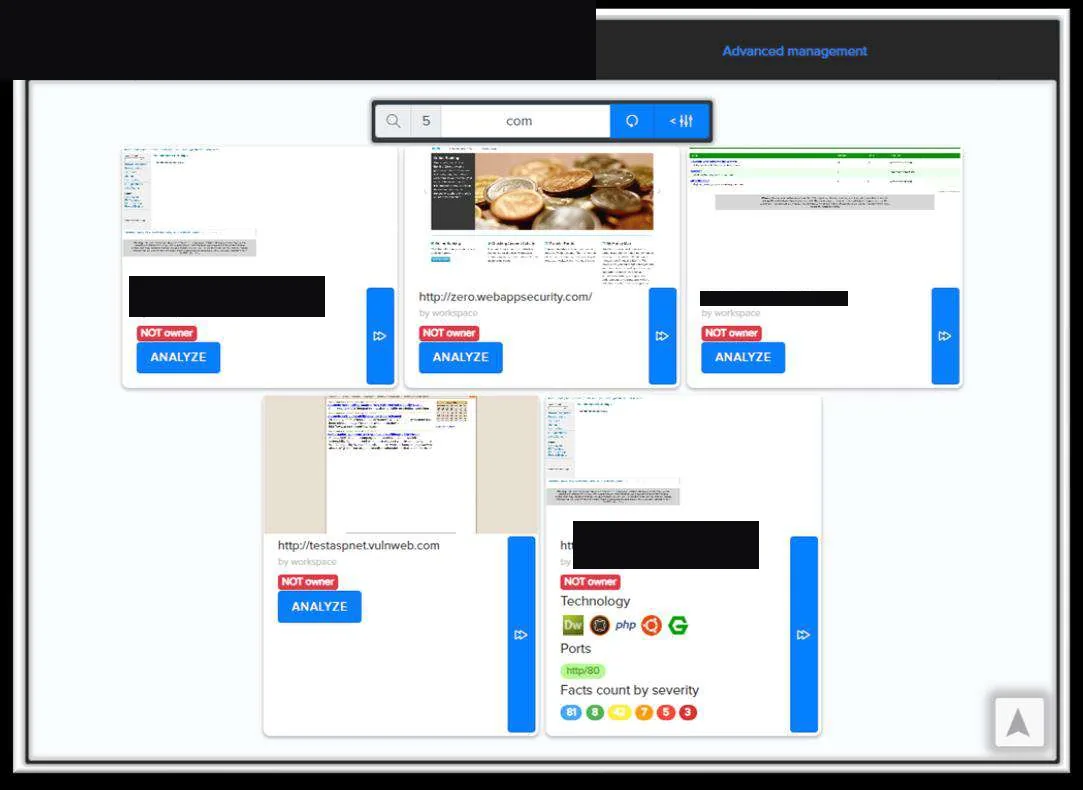
Add objectives individually, as a list, or by uploading a file. Send them straight to Breach Detection, Darknet Monitoring, Whitebox Analysis or Uptime Monitoring, or hold them in the Assets tab for later.
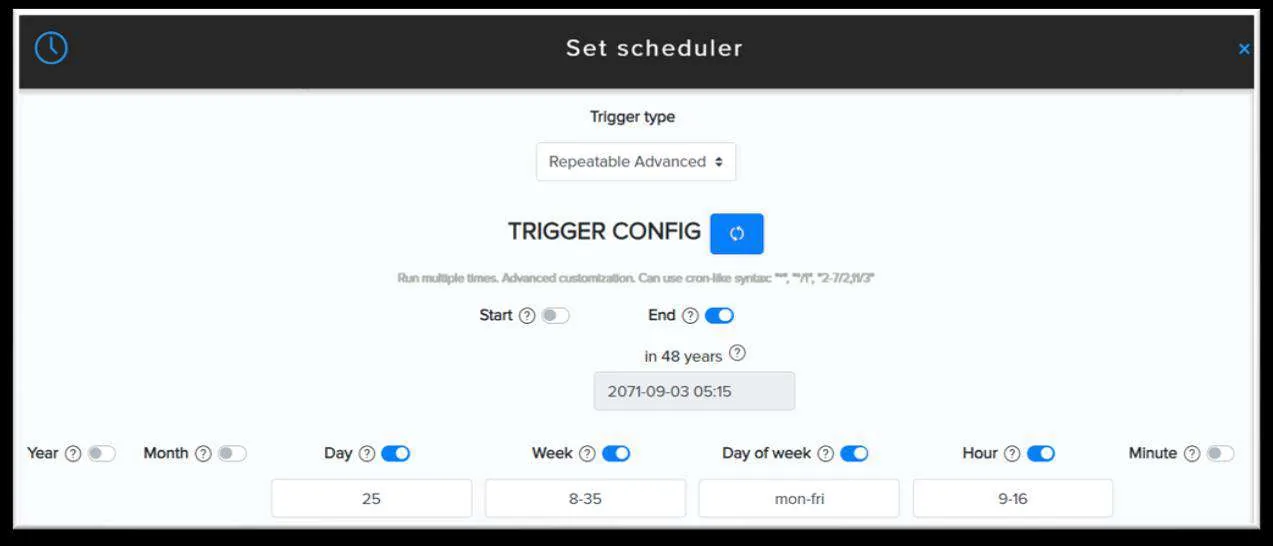
Each target is analysed in its own project space, with its own settings, notes system, reporting infrastructure and statistics. Personalize headers, scan with authentication by transferring cookies or auth tokens, and schedule audits to launch on your terms.
Accurate identification of the technologies in use is paramount to running relevant audits. The Wizard evaluates website technologies and services against its database and proposes matching audits; technologies can also be added manually.
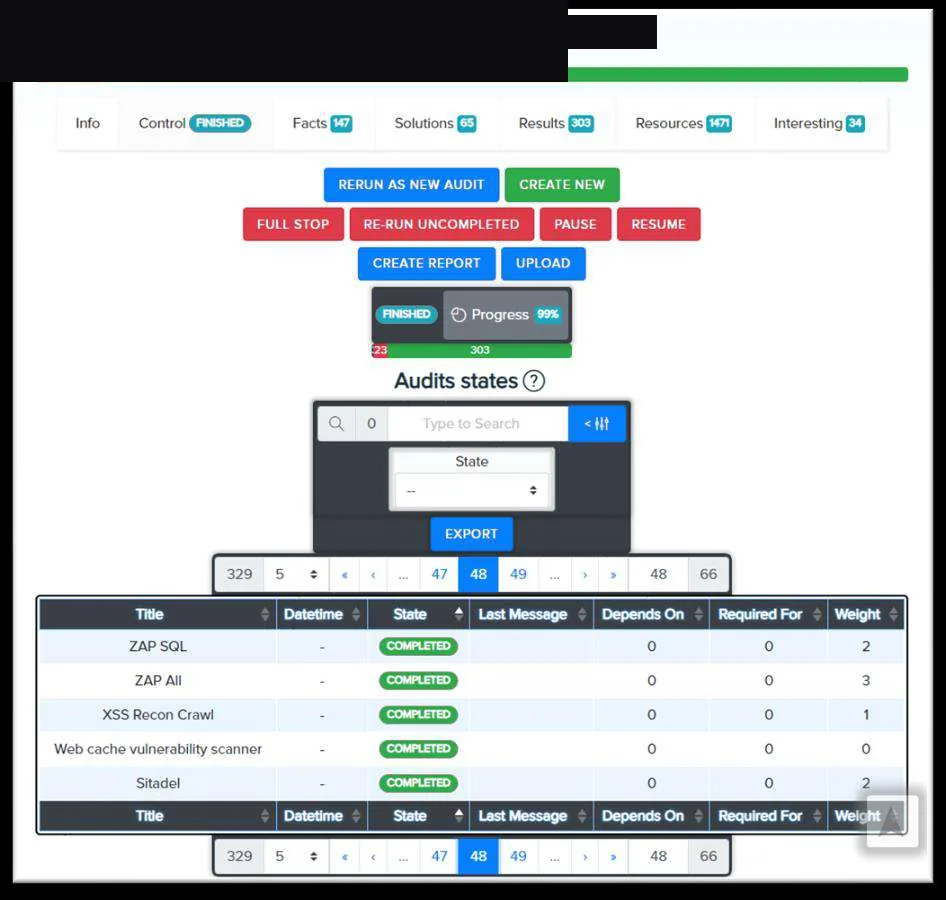
Track progress and performance of each audit, pause, resume or halt scans, initiate new ones, create reports, and upload reports from external scanners.
Manage multiple projects simultaneously, each scanning a diverse range of targets — URLs, IPs, mobile application files, source code links and more — with the system selecting the most suitable audits for your chosen purpose.
Results across all audits in one categorised view. Sort by severity, creation date, CWE and audit name, mark anything as 'Interesting' like a bookmark, and transfer results into Notes in a click.
Users can get help on any fact found during a scan — additional information or classification of the vulnerability — and report a fact as untrue or false-positive. Manage vulnerabilities using semi-automatic tools, send them to notes as facts, or create new ones.
The report generator produces customizable reports from the facts, results and resources extracted during a vulnerability assessment. Each includes a QR code giving direct access to the HTML-based results in your browser, so nothing in the report is missed.

Speak to Shield Technology about deploying CRYEYE across your estate.